- Published on
LM Studio comes to iPhone: your biggest AI model stays at home, but you can use it anywhere on your smartphone
- Authors

- Name
- aimode.news
- @aimode_news
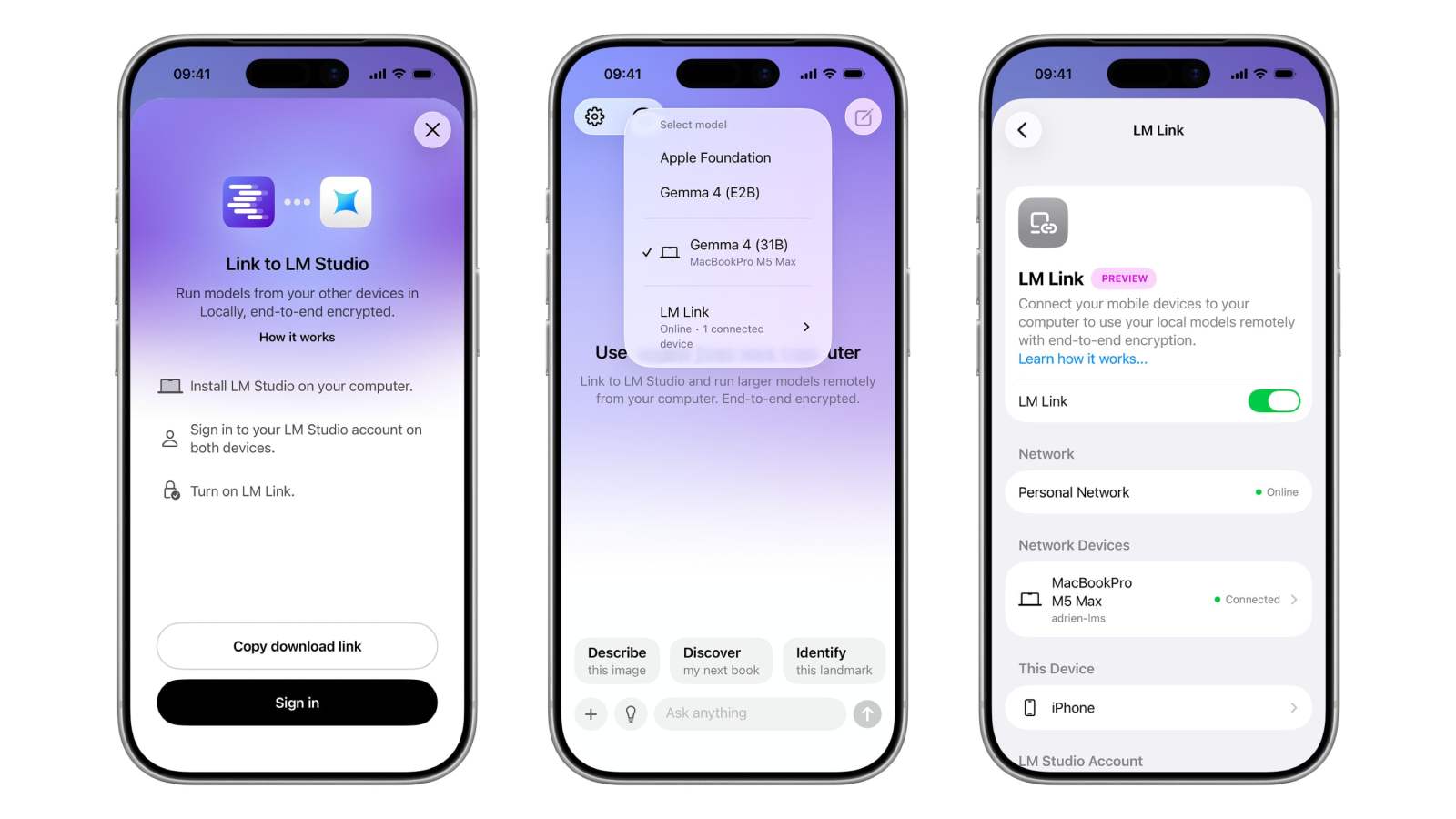
LM Studio, the application used to run AI models locally on your computer, lacked one obvious thing: a mobile version. It's settled. The team has just made Locally official as its app for iPhone and iPad, and has given it a function called LM Link. The idea is in one sentence: your biggest model stays on the powerful machine at home, and you consult it from the phone, wherever you are.
The context: LM Studio bought the Locally AI app earlier this year, in April 2026, to provide an entry point onto Apple platforms. Locally therefore becomes the official mobile arm of the ecosystem. And LM Link is the piping that connects the two.
Concretely, the language model (or LLM, the engine behind a ChatGPT-like) does not run on the iPhone: it runs on your Mac or your PC, and the app serves as an encrypted remote control. The power therefore depends on the equipment left at home, not on your smartphone.
How it really works
You need an LM Studio account, connected on both devices. Once LM Link is activated, the machines recognize each other and establish an end-to-end encrypted connection, regardless of the network. The detail that counts: according to 9to5Mac, the connection is based on Tailscale mesh networks (a private VPN technology that avoids exposing your devices to the public internet). Your conversations remain stored locally on your devices, and only the list of your machines goes back to the LM Studio servers, only to find each other.
Clearly, you keep the number one argument of local AI, confidentiality, even by controlling everything from the metro. All models installed on your Mac work, including the home model of Apple Intelligence. If you are new to this type of tool, we have a complete guide to installing an LLM locally on PC and Mac, and the LM Studio download sheet to retrieve the desktop application, an essential prerequisite.
What's changing, and the trap to watch out for
The approach is not new. Community projects like Off Grid already made it possible to join an LM Studio server from a smartphone, sometimes with a switch to a small embedded model when you lose the network.
The difference here is that it comes directly from the editor, integrated and without network hacks. It's in the same vein as local AI which is gradually moving towards the general public, like Gemma 4, the open source model from Google which runs on a standard PC or Mac.
To go further
Gemma 4 12B: how to install Google's open source AI on your PC or Mac
The real asterisk is elsewhere. LM Link is launched in Preview, and LM Studio specifies that it is free during this entire test period. Afterwards, in addition to a free offer, paid plans will arrive, with prices still unknown. In other words: the argument “your AI, free, at home” remains true for the model, but the remote control to access it remotely could end up behind a subscription.
Who it's useful for: Those who have already invested in a good machine for local AI and want to access it on the go without sending their data back to OpenAI. For others, without a Mac or beefy PC turned on at home, it's useless: the app doesn't work miracles, it only extends a cable to your living room.